

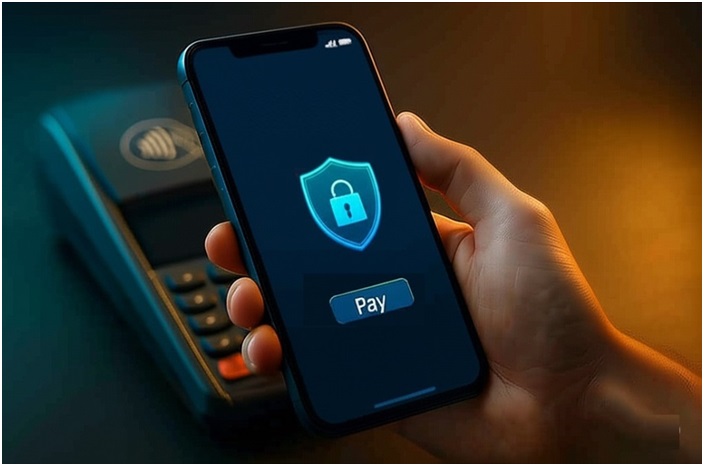
Paying with your phone feels magical. Tap, beep, done. Yet convenience invites risk. Digital wallets store cards, cash and IDs in a chip-sized vault. Used daily, they deserve the same care you give to physical money. This guide offers practical digital wallet safety tips so you can spend often and sleep well while staying in control.
This guide provides practical, reliable digital wallet safety advice, built on extensive expertise in payment security. Our commitment to accuracy ensures authoritative, trustworthy information for frequent payments, aligning with principles like Google’s E-E-A-T guidelines. Safeguarding your financial transactions is paramount, echoing best practices from consumer protection agencies.
- What Is a Digital Wallet?
- Why Choose Digital Wallets for Frequent Payments
- Built-In Security Features You Should Know
- First-Time Setup: Safety Steps
- Examples of Popular Wallets
- Everyday Payment Habits That Keep You Secure
- Keep Your Device Hard to Crack
- How Merchants Help Protect Your Data
- Advanced Protection for Power Users
- What to Do If Something Goes Wrong
- Conclusion
- FAQs
What Is a Digital Wallet?
A digital wallet is an application that stores payment information, such as credit and debit card numbers, along with tickets, gift cards, and rewards program details. It replaces plastic by using NFC payments at the register or checkout buttons online. Behind the glass sit layered encryption and tokenization that swap sensitive numbers for useless codes. Your phone shares only a one-time “alias,” not the real card number. Cards stay hidden while transactions stay fast and private.
Why Choose Digital Wallets for Frequent Payments
Digital wallets cut queue time. You leave home lighter. Discounts and loyalty rewards are applied automatically, ensuring you never miss out on a good deal. Many wallets also mask your card number, reducing fraud exposure. During contactless payments your phone never touches the terminal, limiting germs and skimmers. Small daily buys become smoother, cheaper, and more hygienic.
Built-In Security Features You Should Know
Most modern wallets lock behind device biometrics. Fingerprints and face scans provide biometric authentication that thieves struggle to copy. Every payment request triggers a one-time token; stolen tokens expire instantly. Transaction alerts land in real time, flagging suspicious charges before damage grows. Some apps can even refuse high-risk merchants automatically. These protective layers work silently.
First-Time Setup: Safety Steps
Start safe. Update your phone OS. Add a long passcode and keep it private. To ensure the security of your digital wallet, it is imperative that you activate two-factor authentication for any linked bank or card accounts and exclusively download well-regarded, trustworthy applications from authorized app stores. Skip any download that asks for odd permissions or contains spelling errors. Never set up a wallet over public Wi-Fi because eavesdroppers can clone traffic. Only use a secure home or cellular network.
Also Read: How to Delete Amazon Account [Ultimate Guide]
Examples of Popular Wallets
For many people, the Apple Pay app is already on their iPhone and Apple Watch, ready to be set up. Android users can try Google Wallet for quick tap-to-pay. Travelers often link multicurrency cards with Revolut Pay to avoid foreign-exchange fees. Crypto investors manage tokens through a crypto wallet like Coinbase Wallet, enabling them to trade assets or fund their activities on a crypto slots casino site. Each option follows similar safety rules, yet differs in regions, cashback offers, and supported cards.
Everyday Payment Habits That Keep You Secure
Hold your device, not the terminal. Confirm the store name before tapping. Check the amount on screen. Use contactless pay only when you see the familiar symbol. Avoid handing over your phone. If a cashier insists, swipe a backup card instead. Small habits block big headaches and keep your payment trail clean.
Keep Your Device Hard to Crack
Lock it quickly. Shorten auto-lock time to one minute. Use either “Find My” on your iPhone or the Android Device Manager on your Android device to remotely wipe your phone’s data. Review app permissions monthly. Delete expired cards or coupons you no longer use. A tidy wallet is a safer wallet because fewer credentials mean fewer entry points.
How Merchants Help Protect Your Data
Reputable merchants use payment terminals certified against the latest security standards. Terminals pass your token to the bank over encrypted lines, never seeing your full card details. That same process shields them from liability and shields you from leaks. If a breach does occur, attackers find only useless aliases.
Advanced Protection for Power Users
Set daily transaction limits inside the banking app. Turn on travel notifications before trips so foreign transactions are not declined. Disable wallet access on international roaming if you seldom pay abroad. Some services let you create virtual card numbers for extra-risky websites. These single-use numbers expire after checkout, further shrinking your attack surface.
What to Do If Something Goes Wrong
Lost phone? Use remote wipe immediately. Stolen card? Freeze it inside the wallet app or call the issuer. Fraud alert? Report it within 24 hours for the strongest consumer protections. Most banks reverse unauthorized charges when reported fast. Keep receipts or screenshots; they speed up claims. Follow up daily until the case closes.
Conclusion
Digital wallets make frequent spending simple, fast and safe—when you stay vigilant. Update software, verify merchants, and trust built-in protections like tokens. Combine those with common-sense habits, and you can tap to pay each day with confidence while keeping your money and identity out of the wrong hands.
FAQs
Q. Are digital wallets safer than plastic cards?
Yes. Tokenized data and biometric locks add security missing from cards.
Q. Can I use a digital wallet without mobile data?
Many wallets store recent tokens locally. You can complete offline transactions, then they sync later.
Q. What if the store does not accept contactless pay?
Open the wallet app and show the QR or barcode option if available, or pay by card.
Q. Does using a wallet hurt reward points?
No. Rewards track the card, not the payment method.
