


In everyday browsing, your device usually talks directly to websites. A proxy server steps in as a middle layer between you and the wider internet, relaying requests on your behalf. This extra hop might sound small, but it has big implications for privacy, control, and performance.
Clear Definition: What a Proxy Server Actually Does
At its core, a proxy server is a system (often a dedicated machine or service) that receives your web requests, evaluates them, and then forwards them to the destination server. The response from the website is sent back to the proxy, which then returns it to you.
Because the website only “sees” the proxy’s IP address, your real IP can be masked. This is why proxies are widely used for traffic management in organizations, enforcing browsing policies, logging activity for compliance, and shielding internal network details from the public internet.
Mechanics: How a Proxy Request Flows
A simple request through a proxy typically follows this path:
- You configure your browser, app, or operating system to use a specific proxy address and port.
- When you try to visit a website, your request is sent to the proxy instead of directly to the site.
- The proxy checks its rules (for example, whether the site is allowed, whether it has a cached copy, or whether authentication is required).
- If allowed, it forwards the request to the target server, receives the response, and passes that response back to you.
From the user’s perspective, this process feels almost instant. When people search online for how does a proxy server work, they’re essentially asking about this chain of controlled hand-offs between client, proxy, and destination.
Core Types of Proxy Servers and What They’re For
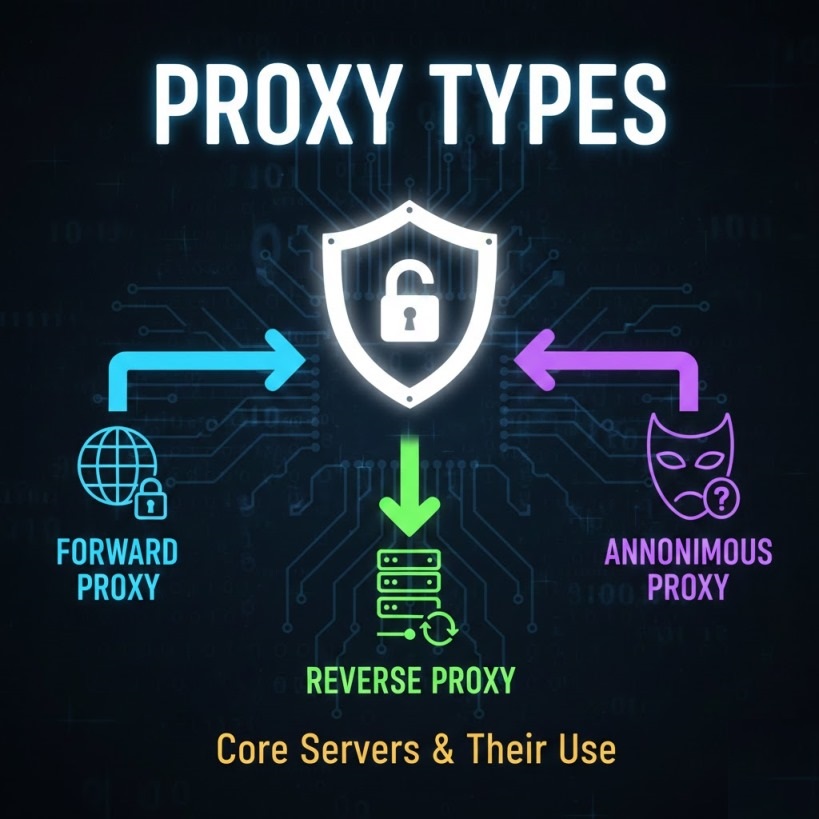
In practice, there are several types of proxy servers, each tuned for different goals.
Forward Proxies
A forward proxy sits in front of users inside a private network and controls how they access the internet. Companies, schools, and organizations use it to:
- Enforce acceptable-use policies.
- Log and audit web activity.
- Cache frequently accessed resources to save bandwidth.
Reverse Proxies
A reverse proxy sits in front of one or more web servers and manages incoming traffic from the internet. It can:
- Distribute traffic across multiple backend servers (load balancing).
- Terminate TLS/SSL to offload encryption work.
- Hide the identity and structure of internal servers while presenting a single public endpoint.
Anonymity-Focused and Network-Specific Proxies
Some setups focus heavily on privacy. An anonymous proxy server tries to avoid exposing the originating client’s IP address and other identifying details to the target site, which is useful in scenarios where user identity needs to be obscured for testing, research, or safety.
On the network side, two families of commercial proxies often appear in technical and marketing material:
- A residential proxy routes traffic through IP addresses assigned to real consumer devices by ISPs, making traffic appear like a normal home user’s session.
- A datacenter proxy uses IP addresses allocated to data centers or cloud providers, offering high speed and scalability for tasks like large-scale data collection.
Also Read: Free vs Premium SSL: The Real Difference
Key Applications in the Real World
Because proxies logically separate users from destinations, they unlock a range of concrete use cases:
- Enterprise access control: Organizations centralize who can visit which sites, apply content filtering, and log access for compliance or investigations.
- Performance and caching: Frequently requested web content can be cached on the proxy, reducing load times and saving bandwidth for large user bases.
- Web automation and research: Proxies help teams gather data from the web at scale without tying every request to a single IP address that might be rate-limited or blocked.
- Segmentation of internal services: Reverse proxies act as controlled entry points, letting businesses expose only specific apps while keeping the rest of their infrastructure hidden.
In all these scenarios, the proxy is less about “hiding” in a shady sense and more about inserting intelligent control, observability, and optimization into network flows.
Security, Risks, and Best Practices

Done well, proxy server security adds an important defensive layer. A properly configured proxy can:
- Reduce direct exposure of internal hosts to the internet.
- Integrate with authentication systems to ensure only approved users can access certain resources.
- Work alongside firewalls, IDS/IPS, and malware scanning tools to inspect and filter traffic.
However, misconfigured or untrusted proxies introduce real risks:
- They can log every site you visit and every credential you type.
- Open or public proxies might inject ads, track users, or be operated by malicious actors.
- Poor access controls can accidentally expose internal services to the outside world.
Organizations should enforce strong access policies, use TLS end-to-end where possible, and treat proxy infrastructure as a critical security component, not a set-and-forget tool.
Understanding Proxy Servers in Context of Other Tools
People often compare proxy server vs VPN when deciding which privacy or security tool to use. A proxy primarily focuses on routing application-level traffic (often HTTP/HTTPS) through another server, while a VPN usually creates an encrypted tunnel at the network level for almost all traffic from a device. Both can hide your IP, but they solve slightly different problems and are often used together in advanced setups.
Conclusion
A proxy server is more than just an extra hop on the network path. It’s a strategic control point that can shape how users reach the internet and how the internet reaches your systems. By understanding its definition, the mechanics of how requests are handled, and the applications from access control to performance tuning, you can decide where proxies fit into your own technology stack.
Used thoughtfully—backed by clear policies, careful configuration, and continuous monitoring—proxies become a powerful ally for privacy, governance, and scalable, secure connectivity.
FAQs
1. Can I use a proxy server on my smartphone or tablet?
Yes. Many mobile operating systems allow you to configure a proxy at the Wi-Fi network level, and some apps support their own proxy settings. There are also dedicated proxy and browser apps that route mobile traffic through a chosen proxy provider.
2. Does a proxy server hide my activity from my internet service provider (ISP)?
Not completely. Your ISP can still see that you’re connecting to a proxy server and how much data you’re transferring. What they can’t easily see, in many cases, is the full list of websites you access through that proxy—especially if the traffic between you and the proxy is encrypted.
3. Is it safe to rely on free public proxy servers?
Free public proxies are risky because you don’t control who operates them or how your data is handled. They might log traffic, inject ads, or even steal credentials. For anything involving personal accounts, business data, or sensitive information, a trusted commercial or self-hosted solution is strongly recommended.
4. How often should a business rotate proxy IP addresses?
Rotation frequency depends on the use case. For casual browsing control, long-lived IPs are fine. For automated tasks like data collection, rotating IPs per session or per batch of requests helps reduce the chance of blocks or captchas and spreads load across multiple addresses.
5. Can a proxy server help with streaming geo-blocked content?
Yes, when a proxy’s IP address is located in a region where certain content is available, it can allow users to access that content as if they were physically there. It’s essential, however, to review the terms of service of streaming platforms and comply with local laws before using such methods.
