

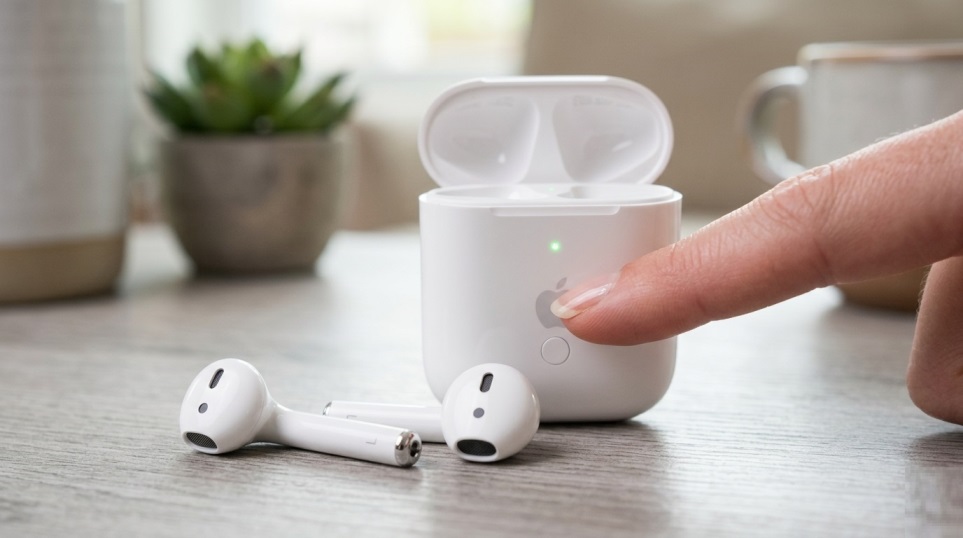
Sometimes AirPods feel flawless—until they refuse to connect right before a call or workout. That is when knowing how to reset airpods stops being a random tech trick and starts feeling like a lifesaver.
A reset can clear pairing glitches, one-sided audio, and those maddening moments when the case opens but nothing happens. Apple recommends resetting when your AirPods still will not connect after basic troubleshooting.
The important catch is that not every model resets the same way. Older AirPods use the setup button on the back of the case, while AirPods 4 and AirPods Pro 3 use a front-case tapping sequence.
Why a reset helps
A reset is a clean restart for the connection between your earbuds and your device. It removes old pairing data so your iPhone, iPad, or Mac can connect again from scratch, which often fixes Bluetooth problems and failed pairing.
Before you reset
Before trying how to reset airpods, check the basics first:
- Charge the AirPods and case for at least 15 minutes
- Make sure Bluetooth is on
- Confirm both earbuds are charging
- Forget the AirPods in Bluetooth settings if they appear there
These steps matter because low battery or an old pairing record can make the reset look like it failed.
How to reset airpods on older models
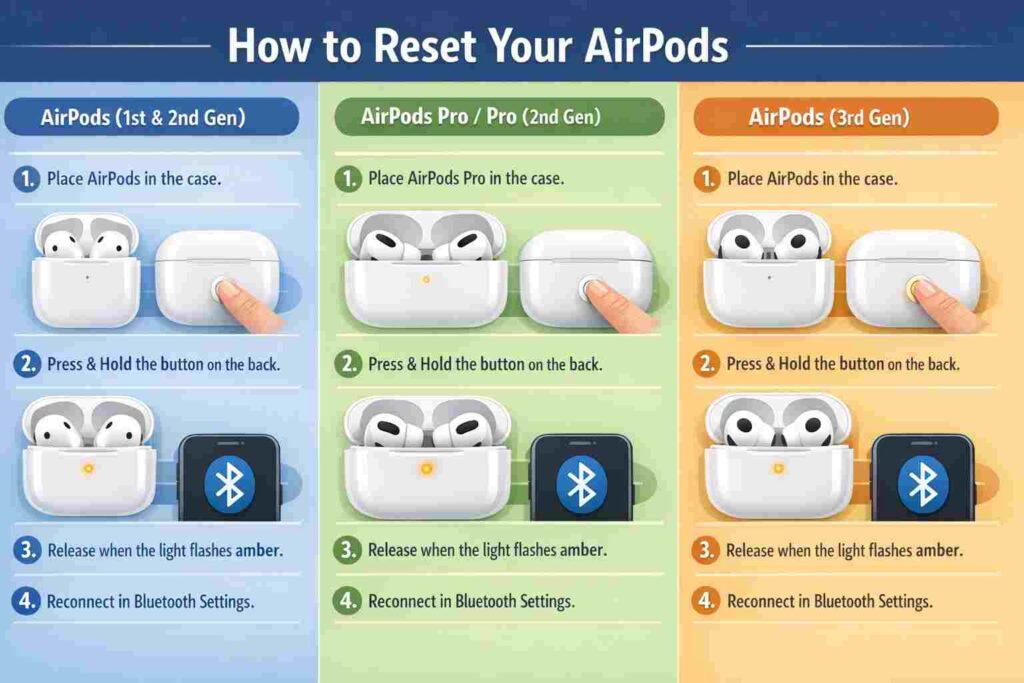
Use this method for AirPods 1, 2, 3, AirPods Pro 1, and AirPods Pro 2:
- Put both AirPods in the case.
- Close the lid and wait 30 seconds.
- Open Bluetooth settings and tap Forget This Device.
- Open the lid again.
- Press and hold the setup button on the back for about 15 seconds.
- Hold until the indicator light blinks orange and then switches to white.
If you do not see amber and then white, charge the case and try again. If you do, the reset is complete and the AirPods are ready to pair again.
How to reset airpods on newer models
For AirPods 4 and AirPods Pro 3, Apple uses a different reset flow. Instead of the older rear-button method, you follow a timed tapping sequence on the front of the case.
Steps for AirPods 4 and AirPods Pro 3
- Put the AirPods in the case, close the lid, and wait 30 seconds.
- Forget the device in Bluetooth settings if it still appears.
- Open the lid.
- Perform a quick double-tap on the front of the charging case while the indicator remains illuminated.
- Double-tap again when the light flashes white.
- Double-tap a third time when the light flashes faster.
- Stop when the light flashes amber, then white.
It sounds unusual at first, but once you do it once, how to reset airpods on these newer models feels much easier.
Reset methods by model
| AirPods model | Reset method | Success sign |
|---|---|---|
| AirPods 1, 2, 3 | Hold rear setup button | Amber, then white |
| AirPods Pro 1, 2 | Hold rear setup button | Amber, then white |
| AirPods 4 | Front-case tapping sequence | Amber, then white |
| AirPods Pro 3 | Front-case tapping sequence | Amber, then white |
| AirPods Max | Hold Digital Crown + noise control button | Amber, then white |
Apple says AirPods Max should be charged to at least 50% before a reset.
After the reset
Once the reset finishes, keep the lid open and hold the case near your iPhone or iPad. Follow the setup prompt on screen. If the AirPods belong to another Apple Account, they may need to be removed from Find My first.
Conclusion
Once you know how to reset airpods for your specific model, the process is quick and far less stressful. It can rescue a call, a commute, or a workout in under a minute. And if how to reset airpods does not solve the problem, the next places to look are charging, firmware, and Apple Account linking.
Also Read: How to Monitor Home Network Traffic With a Raspberry Pi
FAQ
How often should you reset AirPods?
Only when needed. It is a fix for connection problems, not routine maintenance.
Does resetting erase everything?
It removes pairing data, so you will need to reconnect the AirPods afterward. That is the purpose of how to reset airpods.
Why are my AirPods still not connecting after a reset?
Check charging, Bluetooth, software updates, and whether the light ended on white. Apple also recommends trying the pairing flow again.
Is the process the same for every model?
No. Older models use the rear setup button, while newer models use the case-tap sequence. AirPods Max use two buttons on the headphones.
Will a reset fix charging issues?
Not always. Cable problems, debris, or case damage can also be the cause.
Can you reset AirPods without forgetting the device first?
Sometimes, yes. Still, forgetting the device first usually gives the cleanest result and matches Apple’s guidance.
