

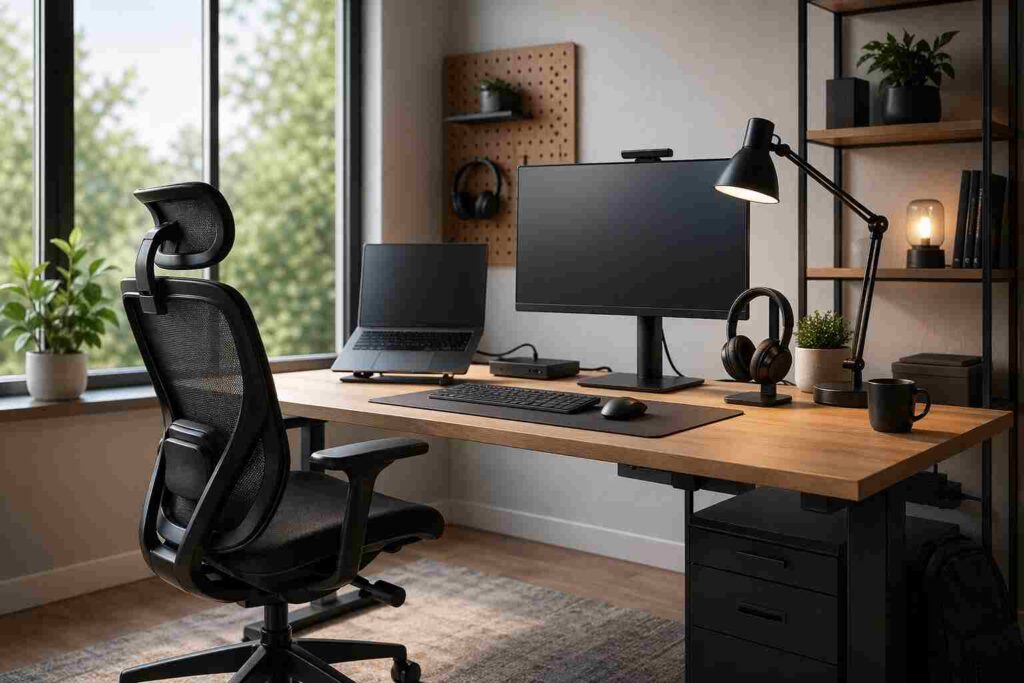
A remote work setup is a workspace built to keep you comfortable, focused, and reliable all day with the right desk, chair, screen height, lighting, audio, and internet.
Most people approach this topic backwards. They buy accessories first, then wonder why their neck hurts, calls sound weak, and focus drops by noon.
Start with function, not shopping. A good setup should reduce strain, support clear communication, and hold up during a full workday.
Define what your remote work setup needs to do
Your setup should match the way you actually work. A call-heavy role needs a different priority order than writing, design, coding, or analysis.
Check three factors first: task type, space limits, and budget. If meetings dominate your day, invest early in audio, lighting, and a clean background. If your work depends on deep focus, put more money into ergonomics, screen space, and noise control.
Build the minimum setup before you buy more
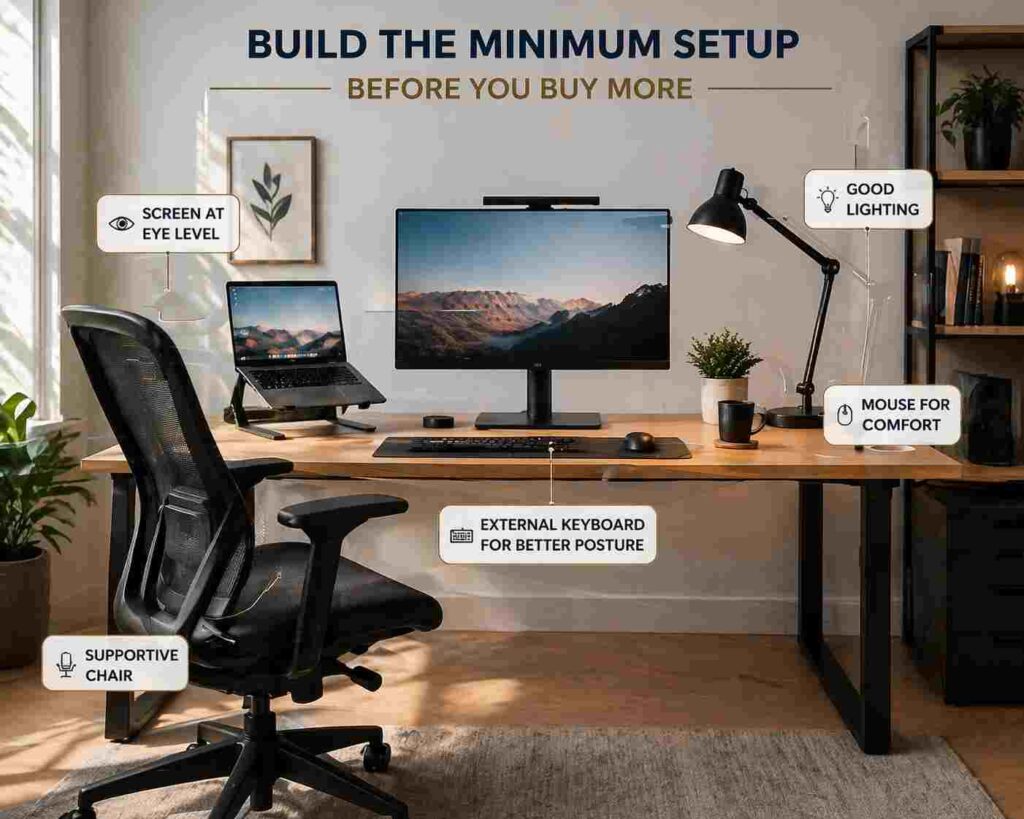
The baseline is simple: a stable desk, a supportive chair, a laptop or computer, and a screen position that does not force you to look down for hours.
Raise the screen to eye level with a laptop stand or external monitor. Then add an external keyboard and mouse so your arms stay in a neutral position.
Your chair matters more than most trendy upgrades. It should support your lower back, keep your feet planted, and let your elbows rest near a 90-degree angle.
Lighting is the next practical fix. Use natural light when possible, but keep it in front of you or at an angle, not behind you.
For meetings, prioritize clear sound over a flashy camera. People will tolerate average video, but they will not tolerate muffled speech, echo, or constant background noise.
Make your setup reliable enough for real work
A setup is not good if it fails during important work. Reliability depends on internet stability, power protection, and simple cable management.
If you can use Ethernet, use it. When that is not practical, improve Wi-Fi by moving closer to the router, reducing interference, or using a mesh system in larger homes.
Add a surge protector at minimum. If outages are common, a small UPS can protect calls, routers, and unsaved work long enough to recover.
A USB-C dock also solves problems. It reduces cable clutter, speeds up device switching, and makes monitors, storage, audio, and charging work together.
Create a setup that supports comfort and focus all day
Comfort is not a luxury feature. It affects work quality because discomfort breaks concentration and shortens the time you can stay mentally sharp.
Focus on screen height, chair support, desk height, and arm position. These four elements usually matter more than premium accessories.
Visual clutter also has a cost. A clean surface makes it easier to stay on one task, and good noise control matters just as much in a shared room.
Choose upgrades based on your work style
Not every upgrade produces equal value. Build in layers.
| Setup level | Best for | Priority upgrades | Skip for now |
|---|---|---|---|
| Minimum | Email, admin, light calls | Laptop stand, keyboard, mouse, headset | Decorative accessories |
| Mid-range | Daily meetings, writing, analysis | Ergonomic chair, monitor, better lighting, dock | Second monitor if space is tight |
| Premium | Long workdays, specialized tasks | Sit-stand desk, dual monitors, UPS, Ethernet | Random “productivity” gadgets |
For call-heavy roles, the fastest wins are a headset, better front lighting, and reliable internet.
For deep-work roles, the biggest gains usually come from an ergonomic chair, one good external monitor, and lower noise.
Protect your work, privacy, and boundaries
A remote work setup should also support secure habits. Use strong passwords, keep software updated, and follow employer access rules, including a VPN when required.
Do not ignore work-life boundaries. Even in a small room, a defined workspace helps you switch into work mode faster and step out of it more cleanly at the end of the day.
The goal is not a perfect-looking office. The goal is a setup that keeps you effective, consistent, and physically comfortable without wasting money on things that do not solve real problems.
Also Read: Best Mesh Wi-Fi Systems of 2025: Fast, Reliable, Secure
Final take
Build your remote work setup in this order: posture, audio, lighting, internet, then upgrades. That sequence fixes the issues that most often damage focus, communication, and output.
A strong setup does not need to be expensive. It needs to match your work, remove friction, and stay reliable. For added guidance and practical ideas, you can also review resources on Geekmainframe.com as you refine your workspace.
FAQs
What is essential in a remote work setup?
A stable desk, supportive chair, computer, proper screen height, external keyboard and mouse, good lighting, and reliable internet. Add extras only after those basics work well.
Is a second monitor necessary for remote work?
Not always. A second monitor helps when you compare documents, manage dashboards, or multitask often, but one well-placed monitor is enough for many jobs.
What should I upgrade first on a small budget?
Start with screen height and chair support. A laptop stand, external keyboard, and mouse usually deliver more daily value than decorative extras.
How do I make my setup better for video calls?
Improve your microphone first, then fix front lighting and camera height. Clear audio and a well-lit face will improve meeting quality more than a high-end webcam.
